
PDF to Markdown Tool Recommendations: How to Convert PDF to Clean Markdown While Preserving Titles, Lists, and Images?
If you want to transfer PDFs to knowledge bases, blogs, GitHub, Notion, or input them directly into AI for summarization and retrieval, the crucial question is usually not whether you can copy the text, but whether you can preserve the structure along with it. Compared to directly copying plain text, converting PDFs to Markdown first generally makes it easier to keep headings, lists, blockquotes, and image references, and is also better suited for subsequent editing.
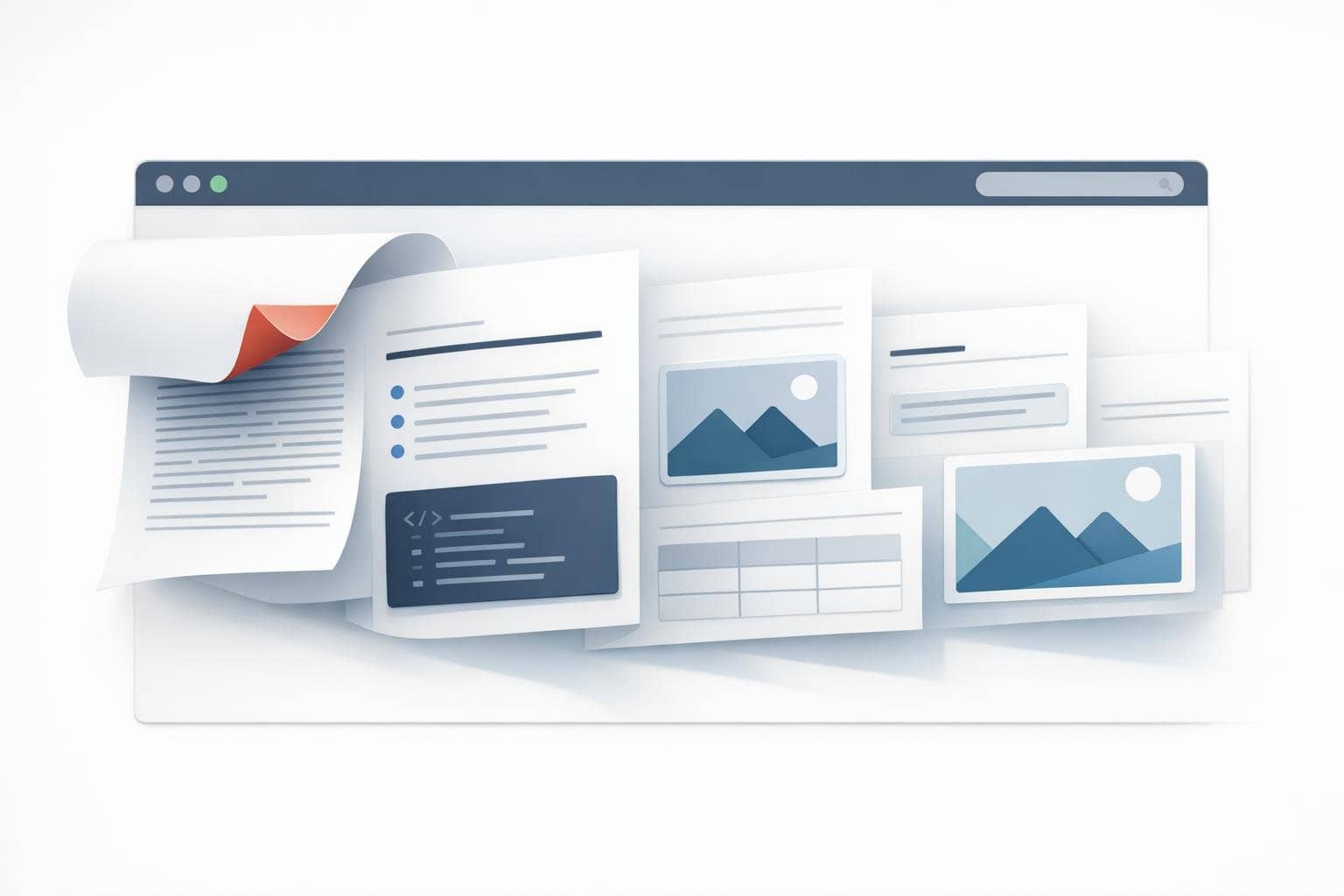
O.Convertor's PDF to Markdown tool is designed specifically for this scenario. It parses PDFs directly in your browser, preserving the document's titles, paragraphs, lists, quotes, and image references, ultimately outputting Markdown that's better suited for continued editing, publishing, and AI processing. The entire process requires no file uploads, making it ideal for handling sensitive content such as contracts, internal reports, research materials, and product manuals.
Quick Answer: How to Convert PDF to Markdown Online?
To convert PDF into Markdown that's better suited for editing and AI usage, the most reliable approach isn't simply copying and pasting—it's using a dedicated structured conversion tool. Simply drag the PDF into your browser, and the tool will automatically identify titles, body text, lists, quotes, and images, then export them as editable Markdown text. For technical documentation, policy documents, research papers, product manuals, and instruction guides, this approach typically saves significant cleanup time compared to plain text copying.
Why is 'PDF to Markdown' more useful than 'PDF to TXT'?
Plain text can only preserve literal content but struggles to retain structure. The value of Markdown lies in the fact that it's both plain text and capable of expressing rich document semantics:
#,##,###preserve section hierarchies, making them ideal for table of contents, knowledge bases, blog systems, and AI document processing workflows.- Lists, quotes, code blocks, and dividers help you continue organizing content rather than reformatting from scratch.
- Images can be referenced through relative paths, making it convenient for subsequent ZIP exports, repository migration, or continued writing.
- More friendly to AI workflows. Markdown is easier for large language models to correctly understand context compared to fragmented text copied on the fly.
If your goal is to 'continue using this content' rather than 'just taking a quick look,' Markdown is almost always more suitable than TXT.
Using the online PDF to Markdown tool requires only three steps
Step One: Upload a local PDF file
Open the PDF to Markdown Tool and simply drag your file in. The document will be processed locally in your browser without being uploaded to any server.
Step 2: Wait for the tool to automatically recognize document structure
The tool will attempt to identify heading hierarchies, paragraphs, lists, quotes, footnotes, references, headers and footers, and images within the document. For common policy documents, research papers, product manuals, and reports, this step typically preserves most of the usable structure.
Step 3: Preview and export
You can directly view the generated Markdown preview, confirm that headings, paragraphs, and image references are properly formatted, then copy the Markdown or download the packaged results for continued use.
Which scenarios are best suited for converting PDF to Markdown first?
-
Knowledge Base Organization You can convert PDF manuals, meeting minutes, and policy documents into Markdown, then import them into GitHub, Obsidian, Notion, or your internal documentation system.
-
AI Summarization, Q&A, and RAG Retrieval Markdown makes it easier to preserve chapter structures and semantic boundaries, typically providing more stable results than feeding directly extracted PDF text to AI. It's especially well-suited for long document summarization, RAG indexing, knowledge base chunking, and Q&A bot preprocessing.
-
Blog or Official Website Content Migration If content originally exists only in PDF format, converting it to Markdown first makes it much faster to transform into web articles later.
-
Research Papers and Materials Organization When titles, subsections, citations, and references are preserved, subsequent excerpting and annotation become significantly more efficient.
What does this PDF to Markdown tool preserve?
For common digital-native PDFs, the tool prioritizes preserving these elements:
- Document main titles and section headings
- Body paragraphs
- Lists and numbered items
- Fallback text from table of contents or table-style blocks
- Citations, footnotes, and references
- Images and their relative path references
It's important to note that PDF itself is not an inherently structured format. Complex scanned documents, severely misaligned two-column papers, and highly complex tables may still require minor manual adjustments. Even so, structured Markdown is often much faster than manually organizing content from scratch.
What's the difference compared to 'directly copying PDF text into ChatGPT'?
The key difference lies in input quality.
If you copy text directly from a PDF, common issues include:
- Paragraph order getting scrambled
- Headings disappearing
- Headers, footers, and page numbers mixed into body text
- Two-column content interleaving left and right
- Image information completely lost
When you first convert to Markdown and then feed it to AI, however, the context is typically more stable. The model can more easily identify what's a heading, what's body text, what's a table of contents, and what's a quotation. This directly impacts the quality of summaries, outline extraction, and Q&A responses.
Common Question: What content does PDF to Markdown conversion preserve?
1. Is this online PDF to Markdown tool secure?
Yes. The tool processes files locally in your browser without uploading PDFs to any server, making it ideal for work scenarios involving sensitive materials.
2. Will images be extracted along with the conversion?
For extractable embedded images in the PDF, the tool will preserve them whenever possible and reference them using relative paths in the Markdown, making it convenient for preview and export.
3. Can headings and table of contents be completely preserved?
Not necessarily. PDF internal structures vary significantly, but compared to simply copying text, these specialized conversion tools typically preserve heading hierarchies, table of contents blocks, and list structures more reliably.
4. Is it suitable for feeding directly into AI?
It's very suitable for this purpose. Especially when you need to build a knowledge base, create summaries, extract tags, perform Q&A, or conduct retrieval operations, Markdown is often much easier to process than raw PDF text.
If your current priority is to actually convert PDFs to Markdown, you can try the PDF to Markdown tool directly. If you’re still wondering why Markdown conversion comes first in an AI workflow, you can keep reading this article: Why PDF to Markdown Is Better for AI, RAG, and Knowledge Bases.