
What is subtitle format conversion? What are the differences between SRT, ASS, VTT, and when do you need to convert between them?
If you’ve done video editing, course screen recording, podcast subtitling, YouTube publishing, or simply want to use a subtitle file on another platform, you’ve probably encountered this issue: the subtitle file opens fine, but when you switch to different software, it gets jumbled, loses formatting, or even becomes completely unusable. Most of these problems aren’t caused by errors in the subtitle content but by incompatibility between the subtitle format and the target platform.
Usually, this isn't because there's something wrong with the subtitle content itself—it's subtitle format incompatibility. SRT, ASS, SSA, VTT, SBV, SUB—these formats all fall under the umbrella of 'subtitles,' but they each have different capabilities when it comes to timecodes, styling options, markup rules, and platform compatibility.
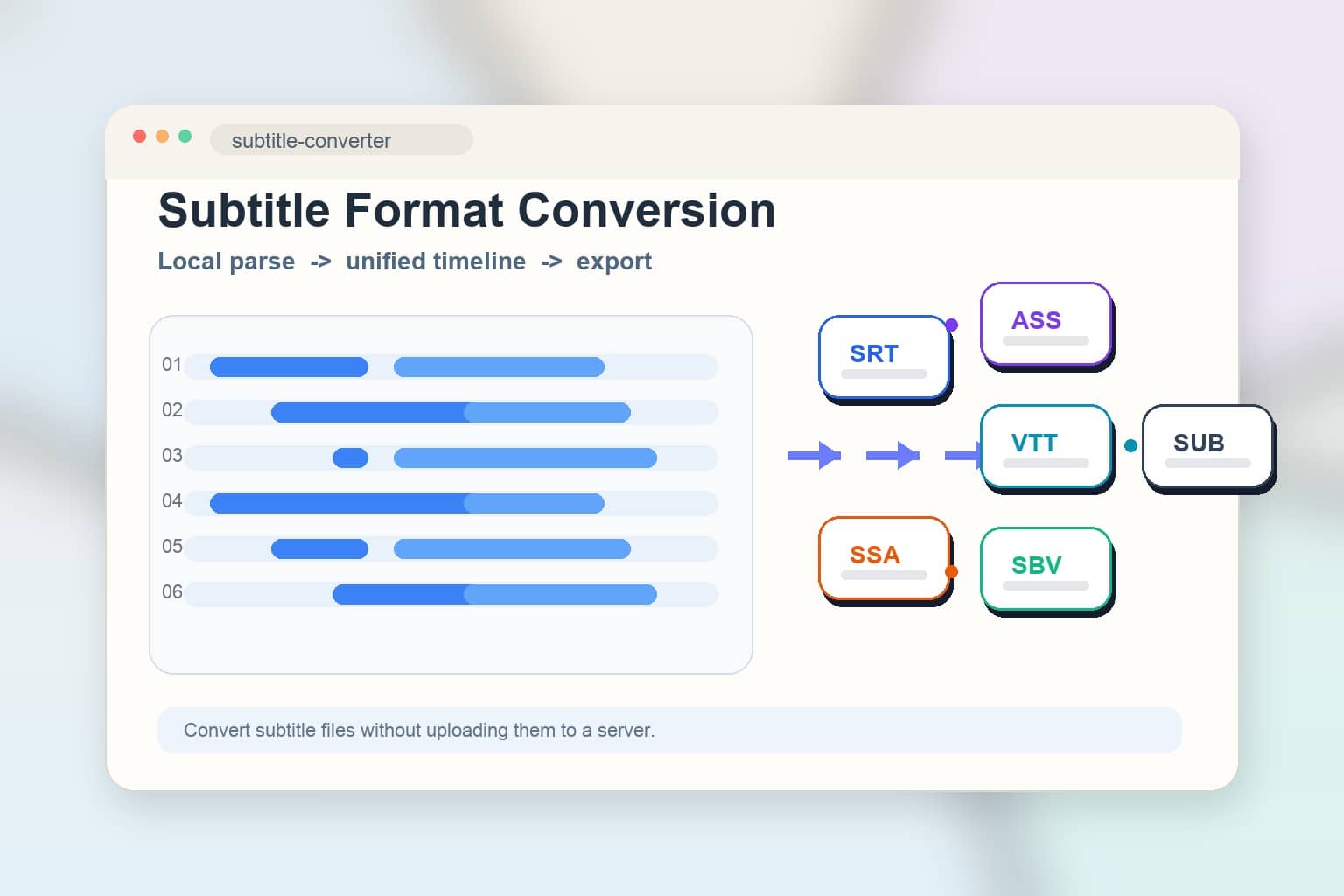
If you need to quickly convert between different subtitle formats without installing heavy software, you can use the Subtitle Format Converter directly. It parses subtitles locally in your browser and exports them to your target format—no file upload required—making it perfect for handling course subtitles, client deliverables, and pre-release content.
Quick Answer: What exactly does subtitle format conversion do?
Subtitle format conversion is the process of restructuring one subtitle file format into another subtitle standard, so it can work across different players, editing software, video platforms, or translation workflows. The most common conversion needs include SRT to VTT, ASS to SRT, VTT to SRT, SSA to ASS, and more.
Why are there so many subtitle formats?
Because different subtitle formats were created for different use cases.
SRTis the most universal format—it has a simple structure and is supported by most players and video hosting platforms.ASSandSSAare designed for advanced subtitle production, with support for custom fonts, colors, positioning, effects, and styling.VTTis commonly used for web videos and HTML5 players, making it ideal for browser-based subtitles.SBVis commonly found on certain video platforms or in older workflows.SUBhas inconsistent definitions across different ecosystems and often requires additional verification of encoding or accompanying files.
In other words, 'subtitle format conversion' is essentially about solving the problem of cross-platform subtitle content circulation, not just changing a file extension.
When should you avoid just thinking about changing the file extension?
When switching between ASS, SSA, and SRT, what’s most likely to be lost isn’t the text itself, but the styles, positioning, and advanced subtitle capabilities. In other words, what you really need to confirm is what the target platform supports—not just changing the file extension.
What should regular users focus on when comparing SRT, ASS, and VTT?
Many people first encountering subtitle files think they only differ by file extension. In reality, there are three main things that truly affect the user experience:
-
Compatibility
SRTtypically has the broadest support, making it ideal for media players, upload platforms, and basic subtitle delivery. -
Styling Capabilities
ASSis more powerful, preserving colors, positioning, fonts, animations, and complex formatting—which is why it's the go-to choice for anime fansubs, music video subtitles, or any visually demanding content. -
Web Compatibility
VTTis better suited for browsers and online video scenarios, especially when working with HTML5 video.
This also explains why many people notice that "ASS files look so plain after converting to SRT."That's because SRT simply wasn't designed for complex styling in the first place—conversions typically only preserve the text and timecodes.
When do you actually need to convert subtitle formats?
Here are some really common scenarios:
-
When uploading to different platforms A platform only accepts
SRT, but your subtitles are inVTTorASS. -
When your editing and publishing workflows don't match You used styled
ASSsubtitles during editing, but only need plain text subtitles for publishing. -
When working with clients or team collaboration The other party's software only recognizes specific formats, so you need to match their output requirements.
-
When doing AI transcription or translation post-processing Some auto-generation tools export
VTT,SBV, or subtitles with special markers that you'll need to edit, translate, or embed afterward. -
When switching between web and local playback Local video players, browser players, and video platforms each have different subtitle format preferences.
How do you safely convert subtitle formats online?
If you just want to quickly convert subtitles to another format, these three steps are usually all you need:
-
Open the Subtitle Format Converter and drag your local subtitle file into the browser. Your file will be processed directly in your browser without any server upload, making it perfect for subtitles containing unreleased videos, internal training content, or confidential client materials.
-
Choose your target format—whether it's
SRT,ASS,VTT,SBV, orSUB. The tool first parses your original subtitle into a unified intermediate structure, then exports it to your chosen target format. -
Preview the converted result and download it. If your original file includes complex styling that the target format doesn't support, the tool will clearly show you what information will be lost, so you can verify everything beforehand.
Why isn't "subtitle format conversion" just changing the file extension?
This is the most common trap beginners fall into.
Subtitle files contain much more than just text—they include timestamps, segment structures, style markers, and track rules. Some formats even store additional information like alignment settings, font sizes, borders, or screen coordinates. Simply renaming example.ass to example.srt won't magically convert its internal structure into something SRT can understand.
A proper subtitle format conversion must do two things:
- Correctly parse the timeline and text content from the source format
- Re-export it following the target format's specifications
That's why a dedicated subtitle format converter is far more reliable than just manually changing the file extension.
What's most easily lost when converting ASS to SRT or VTT to SRT?
The most common loss isn't "missing subtitles," but rather complex styling degradation.
For example:
- Colors, fonts, and outlines may be lost
- Screen positioning may stop working
- Animations and effects cannot be retained
- Multi-line layouts may get simplified
So if your goal is to "preserve visual effects," you'll want to first confirm whether the target format actually supports these capabilities. If your goal is simply to "keep the text and timing," then converting to SRT is often more reliable and makes it easier to continue with translation, proofreading, and platform uploads.
Who searches for "subtitle format conversion" most often?
Behind this keyword, you'll typically find several types of users:
- Video editors and content creator teams
- People creating course recordings, tutorial videos, and training materials
- Teams handling subtitle translation, localization, and proofreading
- People managing YouTube channels, Bilibili accounts, website videos, or premium content platforms
- People who need to further edit AI transcription outputs
For these users, a reliable subtitle format converter's value isn't in 'advanced editing'—it's in being fast, accurate, compatible, and completely offline.
Why is local subtitle format conversion more privacy-friendly?
Many subtitle files contain far more than just a few lines of dialogue.
They may contain:
- Dialogue from unreleased video content
- Interview, course, meeting, or client project text
- Machine translation drafts and manual proofreading records
- Multi-language versions and release timelines
If you upload files to third-party servers for processing each time, it's really hard for teams to know for certain whether those files are being cached, logged, or retained. Solutions like O.Convertor that handle conversion locally in your browser are better suited for scenarios where delivery security and processing efficiency matter most.
Frequently Asked Questions
1. Which is more universal—SRT or ASS?
SRT is typically more universal, since nearly all basic players and many video platforms support it.
2. Why does styling disappear when converting from ASS to SRT?
Because SRT itself doesn't support the rich styles, positioning, and effects that ASS offers, when converting you can typically only preserve the text and timecode.
3. Can VTT and SRT be converted between each other?
Yes, and this is a very common need, especially when switching between web-based video and standard players.
4. Is online subtitle format conversion safe?
It depends on whether files need to be uploaded. Solutions like the O.Convertor Subtitle Format Converter that handle parsing and export locally in your browser are usually better suited for working with sensitive subtitle files.
Conclusion: Understand format capabilities first, then convert subtitle formats
If your goal is cross-platform subtitle compatibility, the most important thing isn't simply 'changing the file extension'—it's first understanding each subtitle format's strengths, then choosing the right target format for your needs.
Want to convert between SRT, ASS, SSA, VTT, SBV, and SUB formats quickly? Try the O.Convertor Subtitle Format Converter directly. If you also need to extract audio from your video separately for transcription or subtitle proofreading, you can use the Video Audio Extraction Tool as well.